PuppyTigerStudio

PuppyTigerStudio 공식 홈페이지
TamTam User Guide
| English | 한국어 |
Set a timer easily by dragging the circular dial and create schedules to run multiple timers automatically in sequence. TamTam helps you manage your time.
Table of Contents
What is TamTam?
TamTam is an intuitive countdown timer app with a circular drag interface.
Key Highlights:
- Set timers from 0 to 60 minutes by dragging the circular dial
- Schedule feature to combine multiple timers
- Accurate alarms even in the background
- Dark/Light theme support
- Portrait and landscape mode support
Main timer screen — The circular dial gauge shows remaining time with a countdown displayed in the center
Key Features
1. Circular Drag Timer
Drag the circular dial in the center of the screen to set the timer duration. You can set a time from 0 to 60 minutes, with haptic feedback as the set time changes so you can intuitively feel the current value while dragging.
After you release the dial, the countdown will automatically begin after a brief moment.
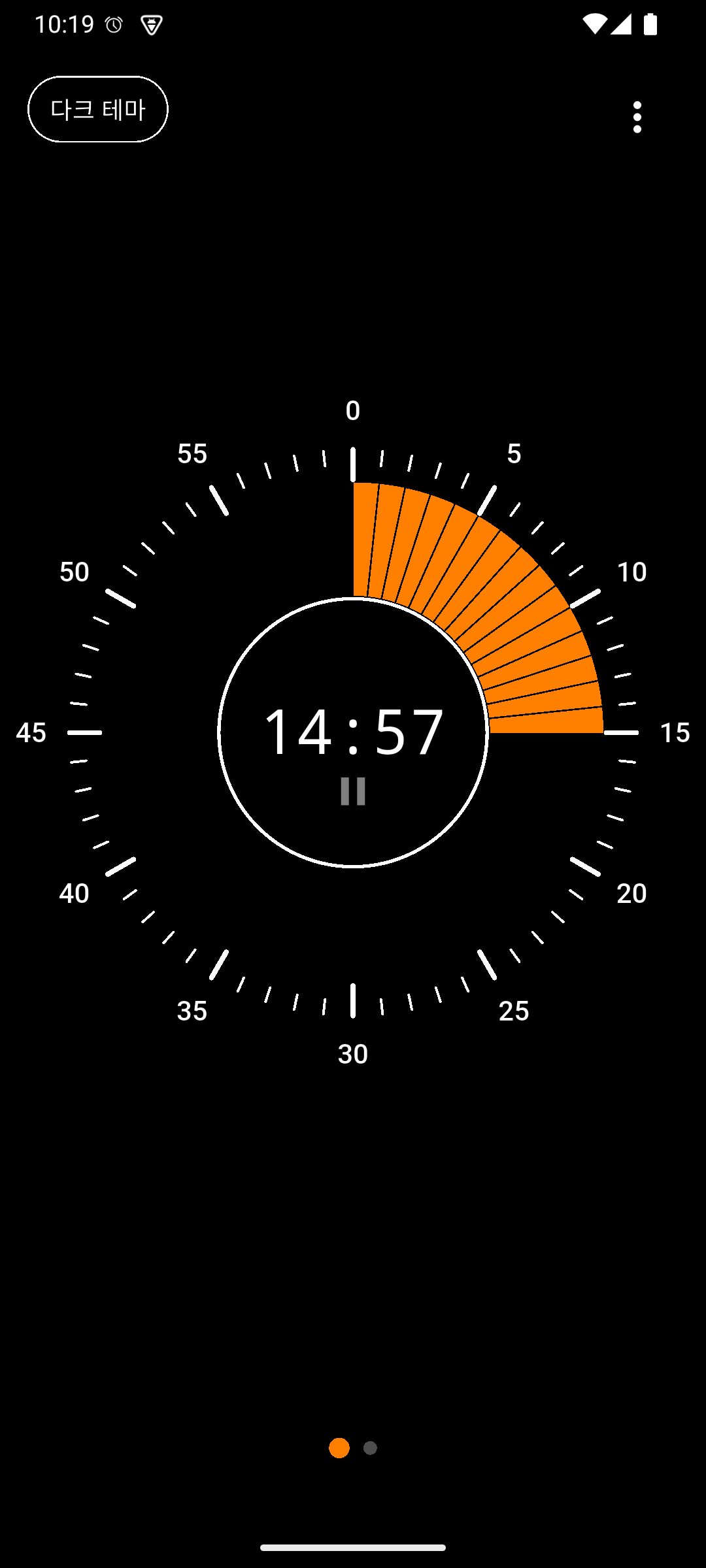
Timer running — The orange gauge indicates remaining time, with a pause icon displayed below the time
2. Pause / Resume
Tap the time display area during a running timer to pause it. While paused, the time blinks, and tapping again resumes the timer.
A Stop button appears while paused, allowing you to cancel the timer.
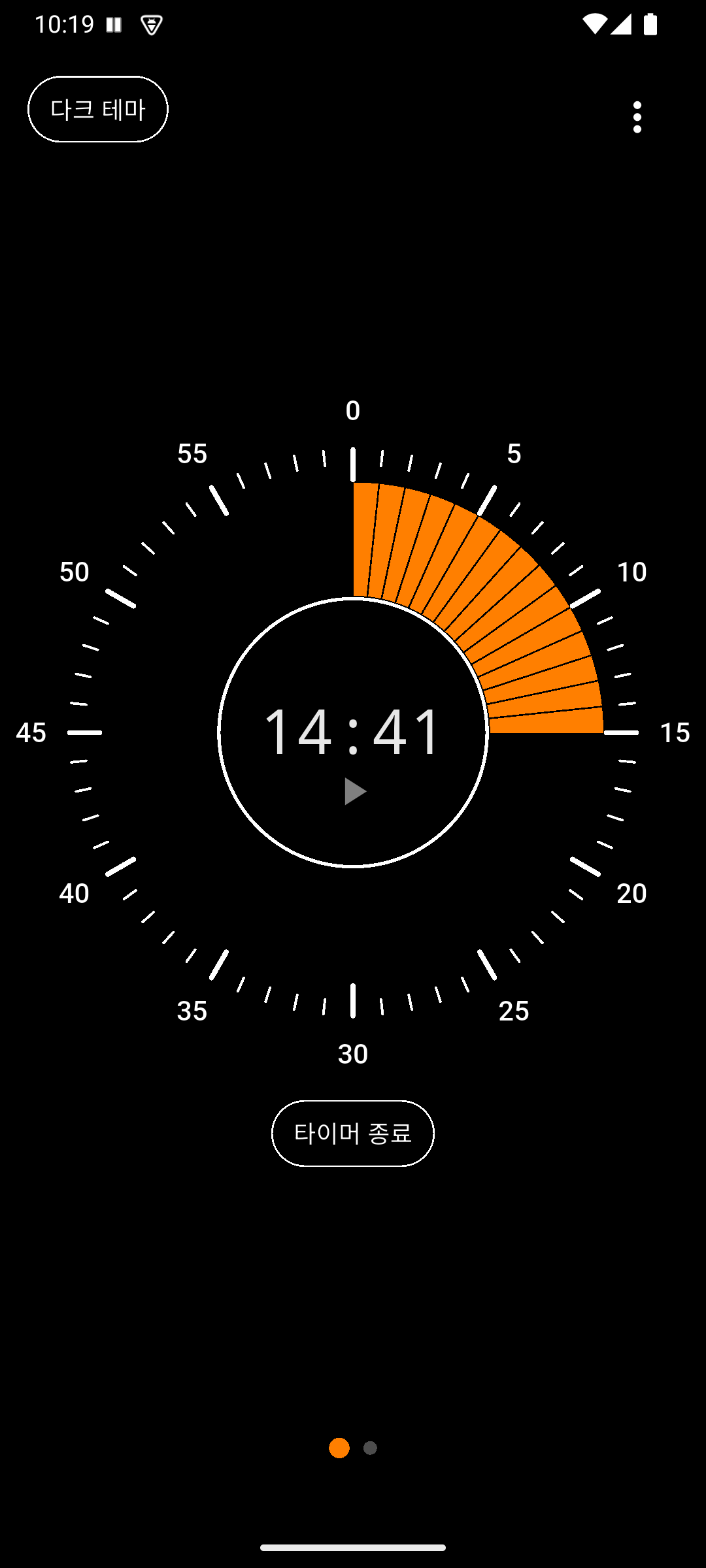
Paused state — A play icon is shown, and the “Stop Timer” button appears at the bottom
3. Schedule Feature
Combine multiple timers into a single schedule and run them consecutively. Use it for workouts, studying, cooking, and more.
Schedule Components:
- Schedule Name: A title to identify the purpose
- Timer Items: Individual timers with time and label (multiple can be added)
- Repeat Count: How many times to repeat the entire schedule
Built-in Schedules:
- Push-ups (Exercise 5 min + Rest 3 min, 3 repeats)
- Plank (Plank 1 min + Rest 1 min, 5 repeats)
- Stretching (Stretching 10 min, 2 repeats)
- Pomodoro (Focus 25 min + Break 5 min, 4 repeats)
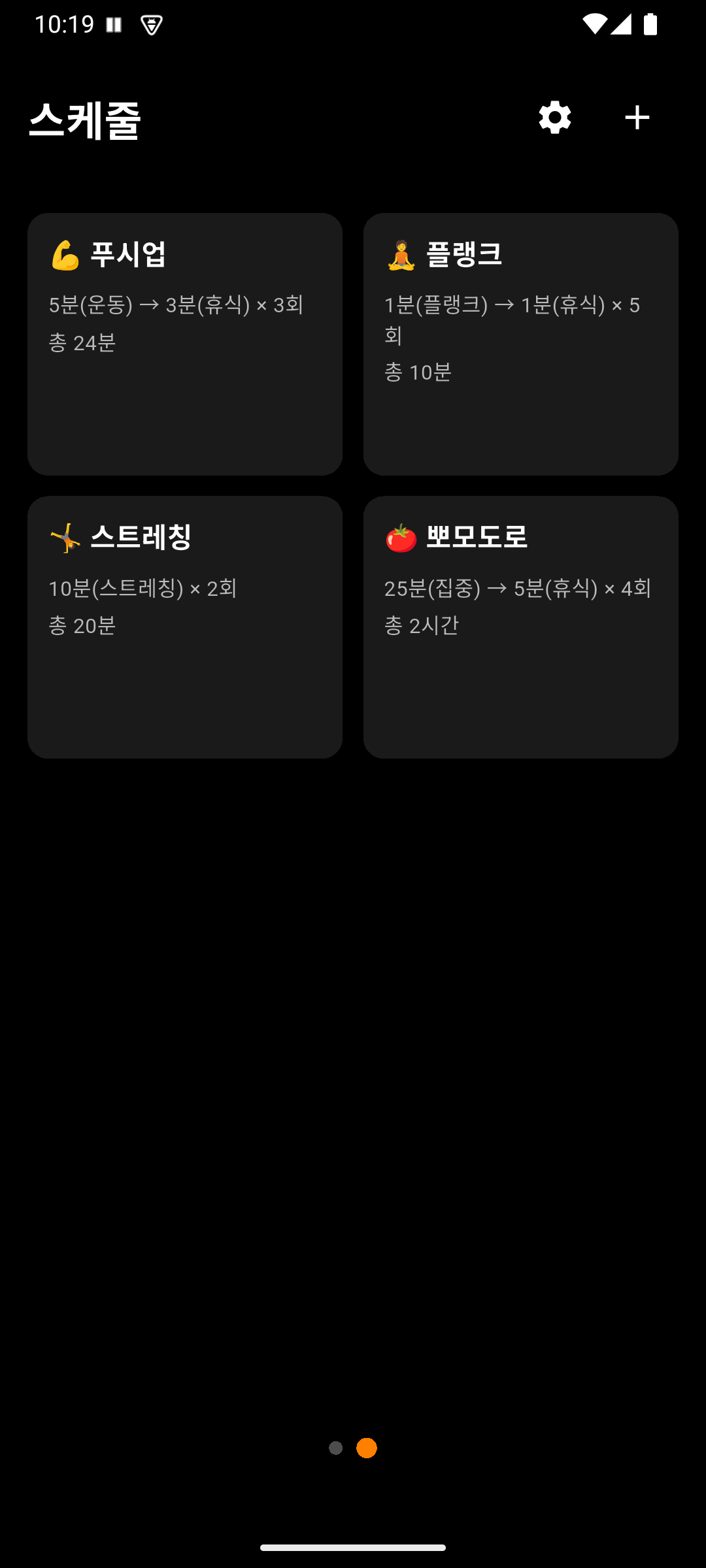
Schedule list — Built-in schedules displayed as cards, with the + button at the top right to add new schedules
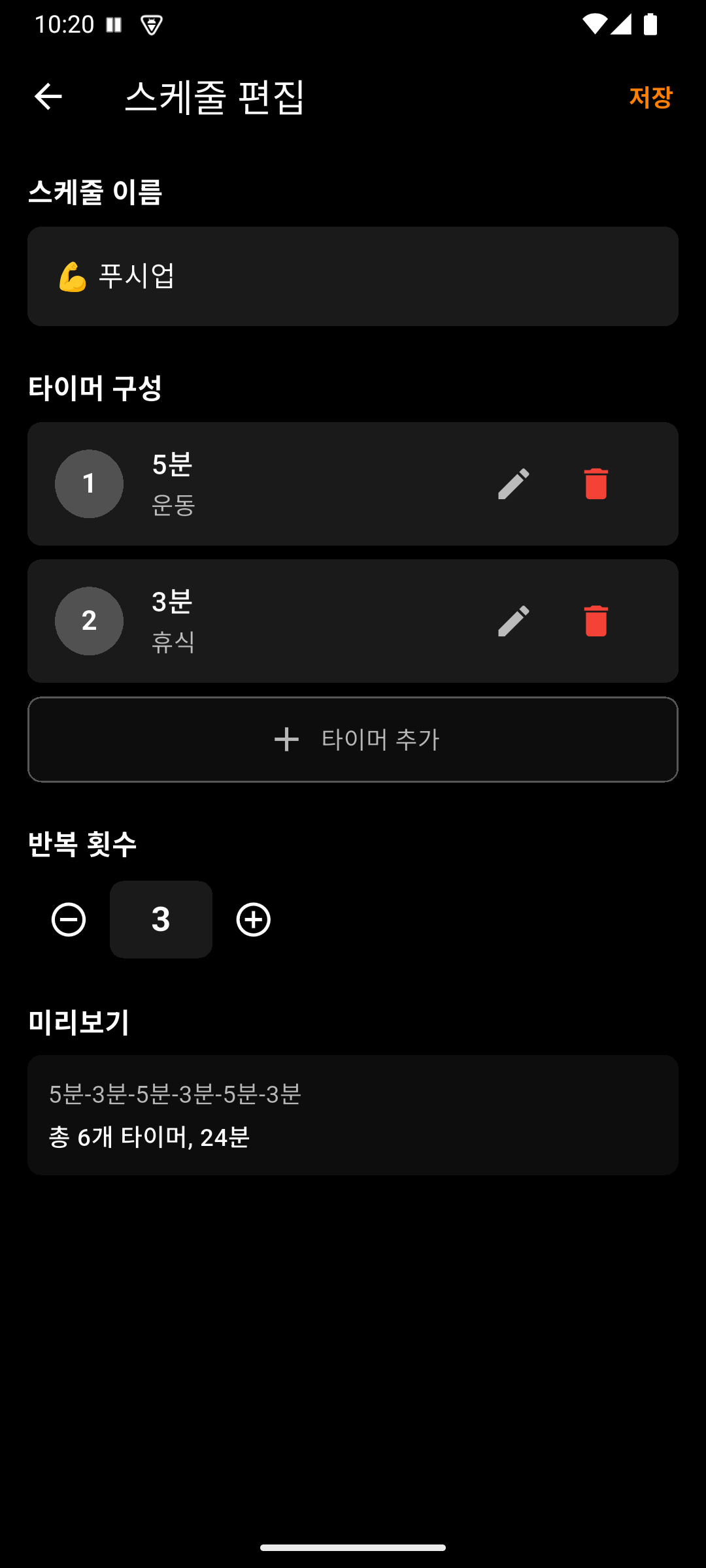
Schedule edit — Set the schedule name, timer items (time/label), repeat count, and check the preview at the bottom
4. Schedule Execution
When a schedule runs, the configured timers execute automatically in sequence. Each timer displays a different colored gauge, making it easy to track progress at a glance.
Controls During Execution:
- Previous/Next buttons: Skip to the previous or next timer
- Progress indicator: Dots at the top of the screen show current position
- Pause: Tap the time area to pause/resume
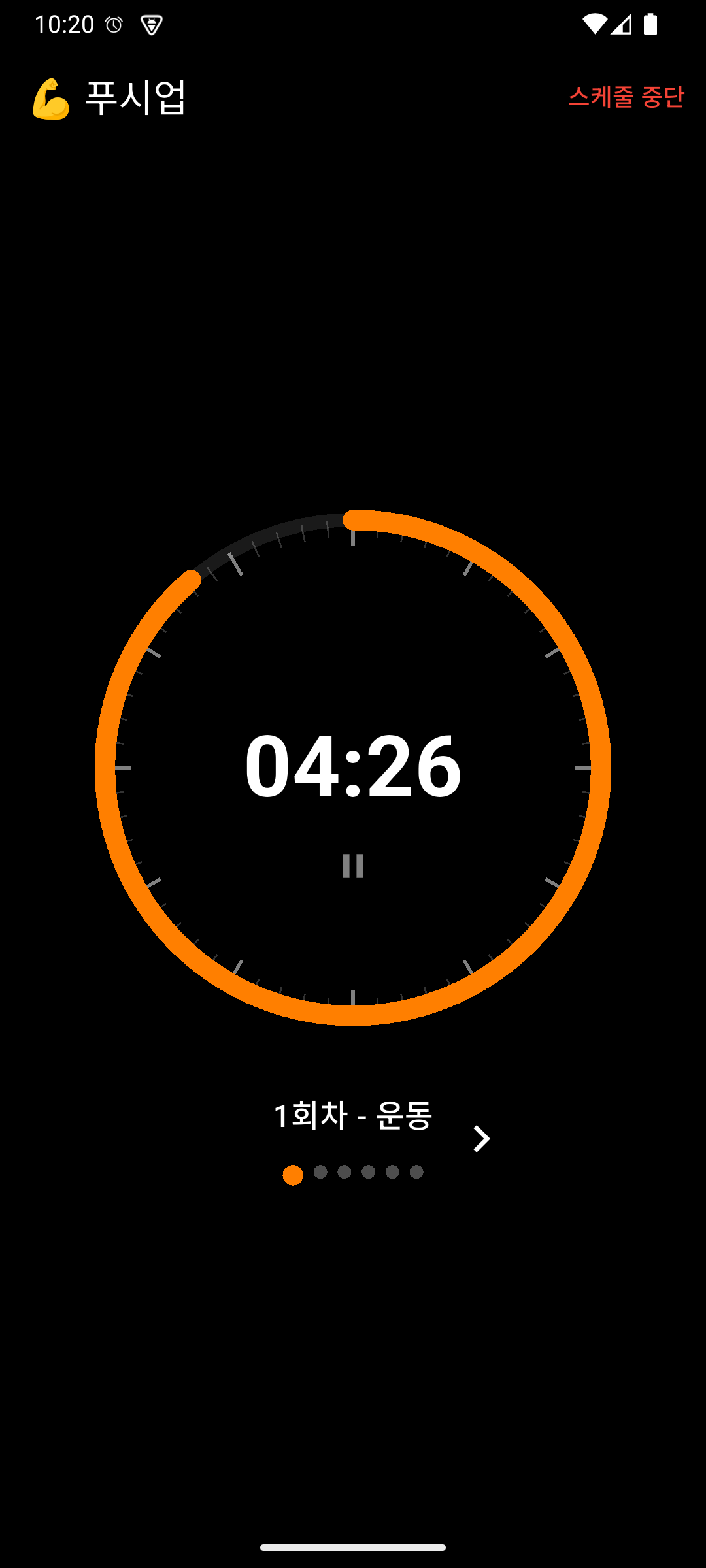
Schedule execution — The current timer’s label and round are displayed, with dot indicators at the bottom showing overall progress
5. Background Timer
The timer works accurately even when you close the app or switch to another app.
- Android: Reliable background execution via Foreground Service
- iOS: Check remaining time on the lock screen and Dynamic Island (Live Activity)
6. Alarm (System-Linked)
When the timer completes, the notification method is automatically determined by your device’s ringer mode.
- Normal mode: Sound + Vibration
- Vibration mode: Vibration only
- Silent mode: No notification
No separate settings needed — it follows your device’s current mode.
7. Dark/Light Theme
Tap the theme button at the top left of the screen to switch between dark mode and light mode.
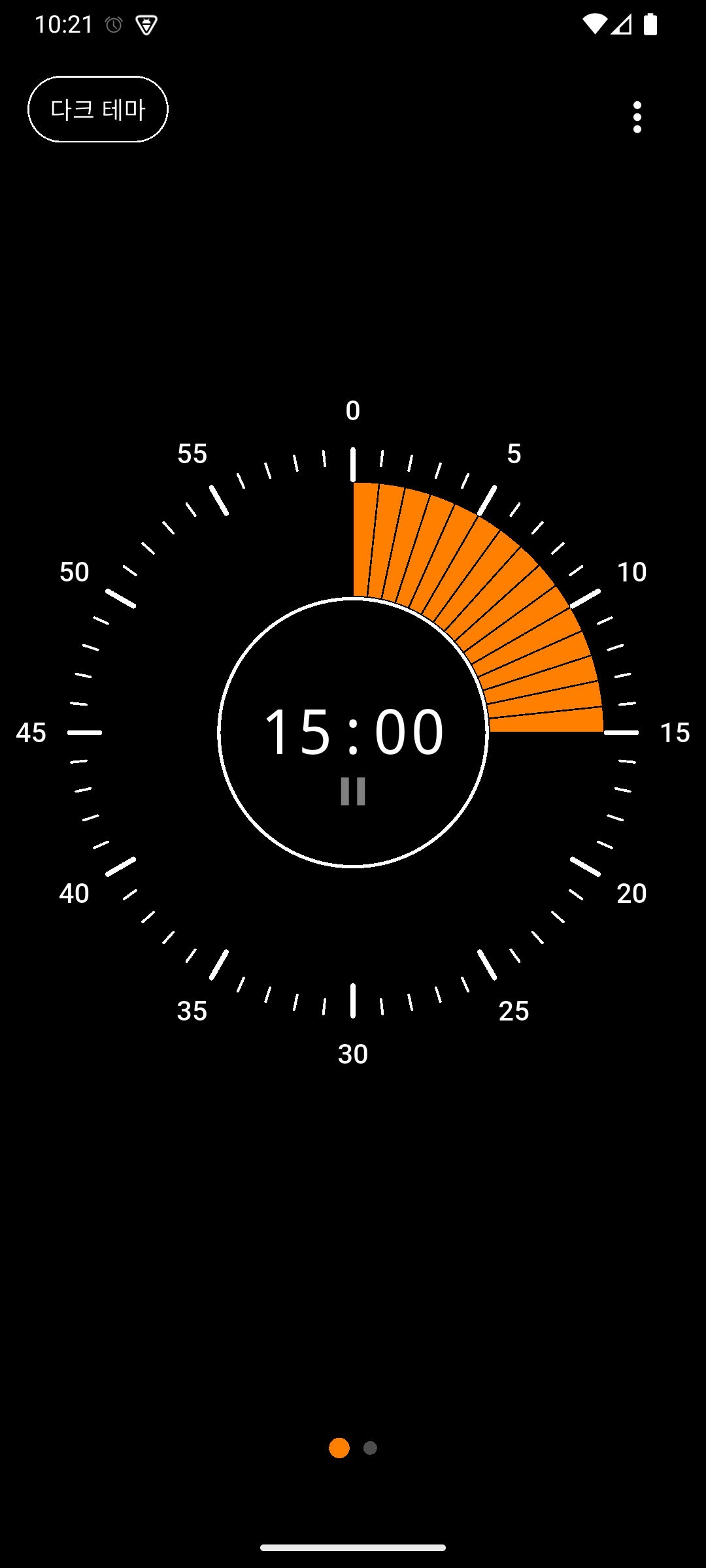
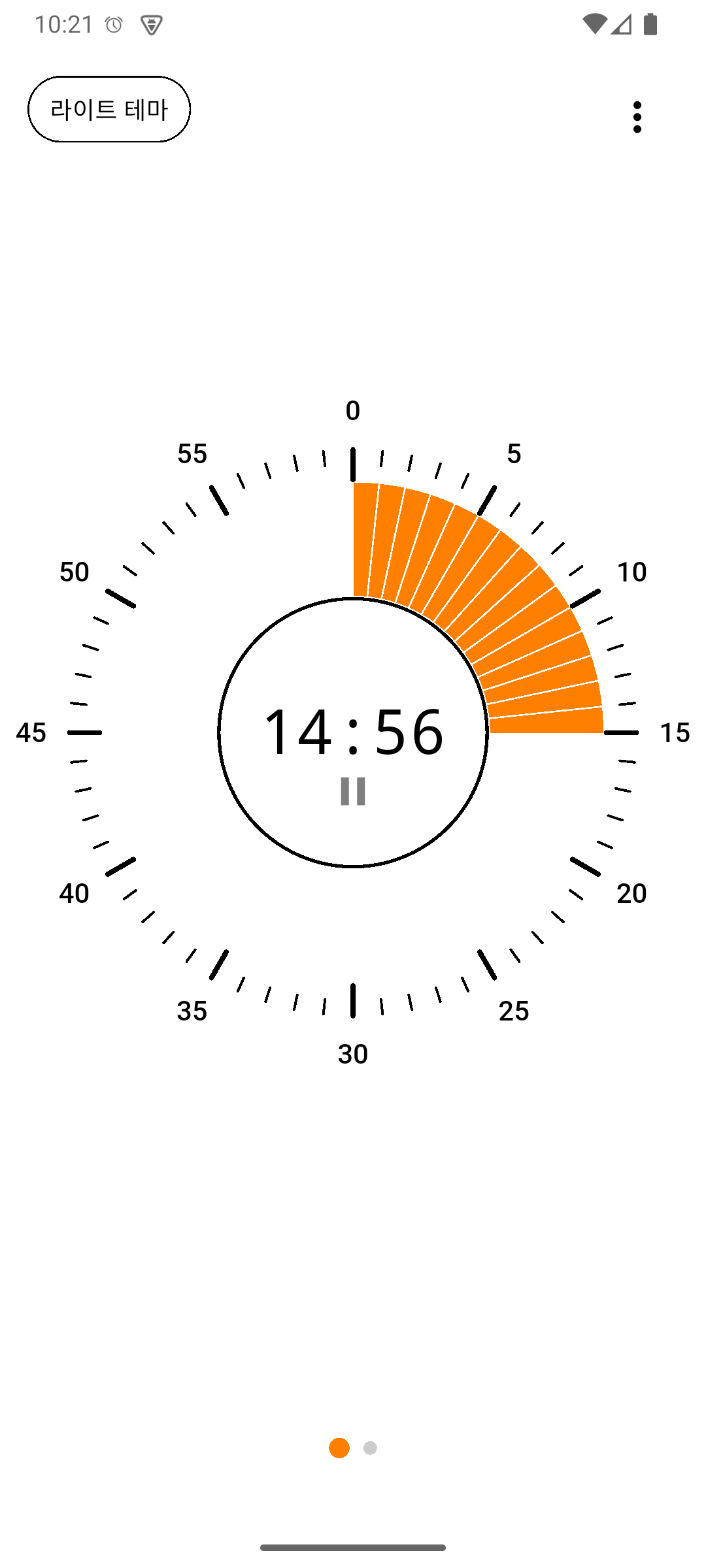
Left: Dark theme / Right: Light theme
8. Landscape Mode Support
Both portrait and landscape modes are supported. The layout automatically adjusts when you rotate your device. Optimized display is also provided for foldable devices.
How to Use
Screen Layout
TamTam consists of 2 pages. Swipe left or right to switch between pages, or tap the page indicator at the bottom.
- Page 1: Main Timer — Quickly set and start a timer with the circular dial
- Page 2: Schedule List — Manage and run your saved schedules
Step 1: Install the App
Search for TamTam on Google Play Store or Apple App Store and install it.
Step 2: Using a Single Timer
- On Page 1 (Main Timer), drag the circular dial to set the time
- Release the dial and the timer will automatically start after a brief moment
- An alarm will sound when the timer completes
Step 3: Using Schedules
- Swipe right to go to Page 2 (Schedule List)
- Tap a built-in schedule or tap the + button to create a new one
- On the schedule edit screen, set the name, timer items, and repeat count
- After saving, tap the schedule card to start execution
Step 4: Settings Menu
From the menu button at the top right, you can access:
- App version
- User guide
- Terms of Service
- Privacy Policy
- Open source licenses
FAQ
Q1: Does the timer work if I close the app?
A: Yes, the timer works accurately in the background. On Android, it uses a Foreground Service, and on iOS, it uses a native timer.
Q2: Does the alarm work in silent mode?
A: When your device is in silent mode, neither alarm sound nor vibration will occur. In vibration mode, only vibration occurs. In normal mode, both sound and vibration occur.
Q3: Can I create my own schedules?
A: Yes, tap the + button on the schedule list screen to create a new schedule. You can add multiple timer items and set repeat counts.
Q4: Can I delete the built-in schedules?
A: Yes, you can freely delete the built-in schedules. Deleted schedules will not be automatically re-added.
Q5: Can I skip a specific timer during schedule execution?
A: Yes, use the previous/next buttons on the schedule execution screen to jump to the desired timer.
Q6: Can I check the timer on the iOS lock screen?
A: Yes, on iOS 16.2 and above, you can check the remaining time on the lock screen and Dynamic Island via Live Activity.
Contact
If you have any questions, please contact us at puppytigerstudio@gmail.com.